Document holders beside a display
A document holder earns its place when you repeatedly move between paper and screen. Choose it for the documents you actually use and the position they need, rather than for the number of clips or angle settings.
Put the source where the task happens
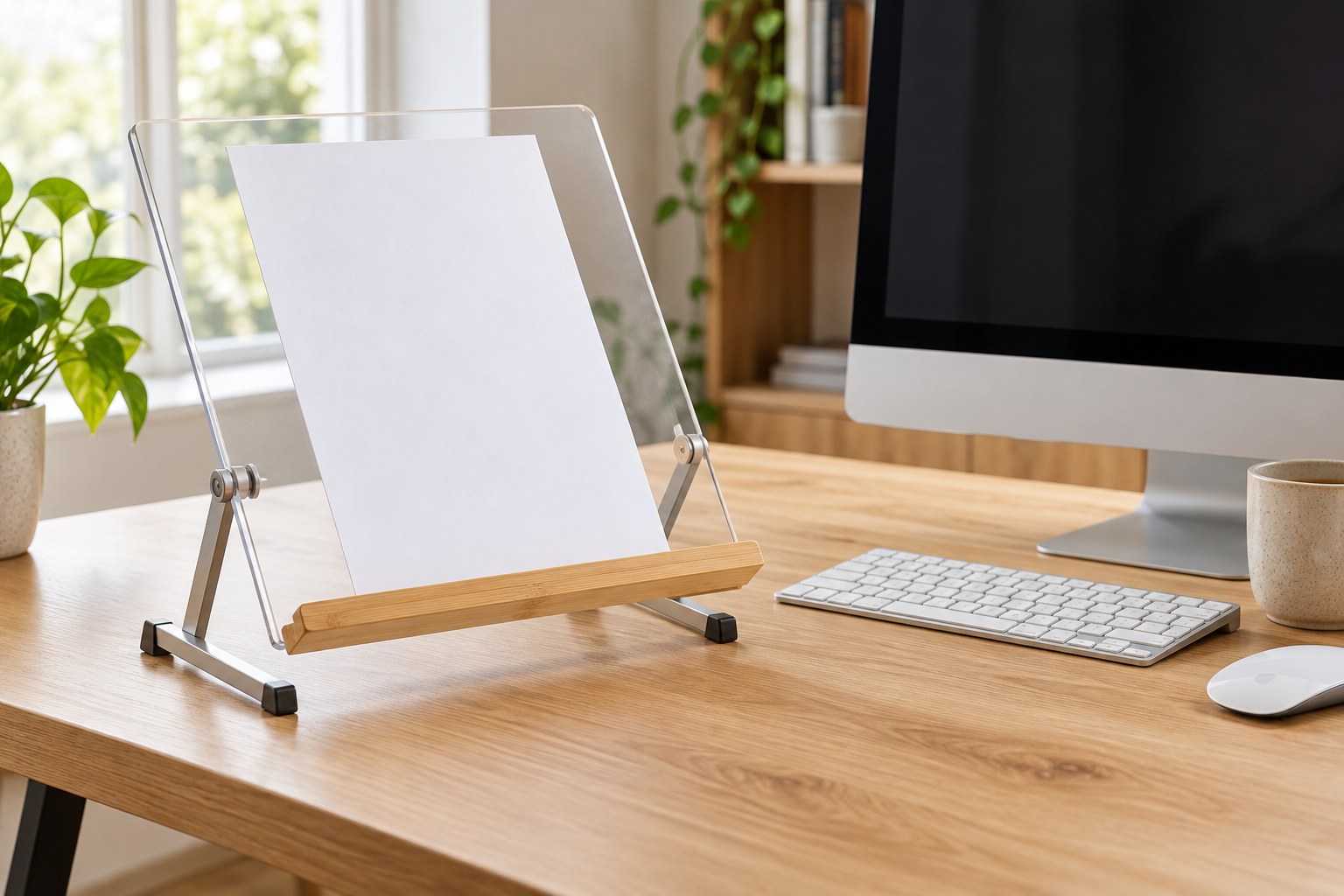
Notice whether you mostly read from paper while typing, copy short figures or write directly on a document. These tasks can favor different positions. OSHA's guidance discusses holders beside the monitor and in-line arrangements beneath it, with placement related to the screen and the rest of the workstation. Use the task to decide which arrangement is worth trying.
Make a temporary outline of the holder beside the display and check whether the paper is readable without repeatedly moving it. A holder can be too far away even when it neatly fits the desk. If it goes beneath the monitor, verify that it does not cover controls or force the keyboard into a narrow front strip.
Test with the heaviest ordinary document
A single sheet and a thick workbook make different demands. Read the holder's capacity and try the type of material you actually use. The bottom ledge must support the document without covering the line you need to read. A light plastic stand may work well for loose pages yet be unsuitable for a book that tries to close itself.
Check clips and page-retaining arms with real paper. They should hold the document without making page turns tedious or damaging the edges. If you need to write on the page, test the surface and angle for that action. A holder designed only for viewing may move or flex when a pen presses against it.
Fit the holder around existing equipment
Measure its base or clamp, including the space needed to adjust it. Check compatibility with the desk edge before choosing a clamped arm. Leave the monitor's ventilation and movement clear. A holder attached to a screen should be explicitly suitable for that mounting method; do not add weight to a thin bezel based solely on a photograph.
Aim any task light at the paper while checking for a new reflection on the monitor. A holder changes the angles in the work area, so the old lamp position may no longer be useful. Try the arrangement during the time of day you normally work with documents rather than judging it only under one lighting condition.
Choose a place for the holder when it is not needed. Folding is valuable only if the folded object fits the intended drawer or shelf. Keep frequently consulted sheets together so the holder does not become a second paper pile. The successful arrangement makes transitions between document and screen more straightforward without taking over the whole desk.