USB flash drives for file transfers
A USB flash drive is useful for handing over a group of files, but the receiving device determines much of the choice. Capacity, connector shape and file-system compatibility are separate questions.
Check both ends of the transfer
Write down the devices that will send and receive the files. A drive used between two computers has different requirements from one intended for a television, car system or printer. Read the receiving device's manual for supported connectors, capacity limits and file formats before buying; a physically fitting plug is not sufficient confirmation.
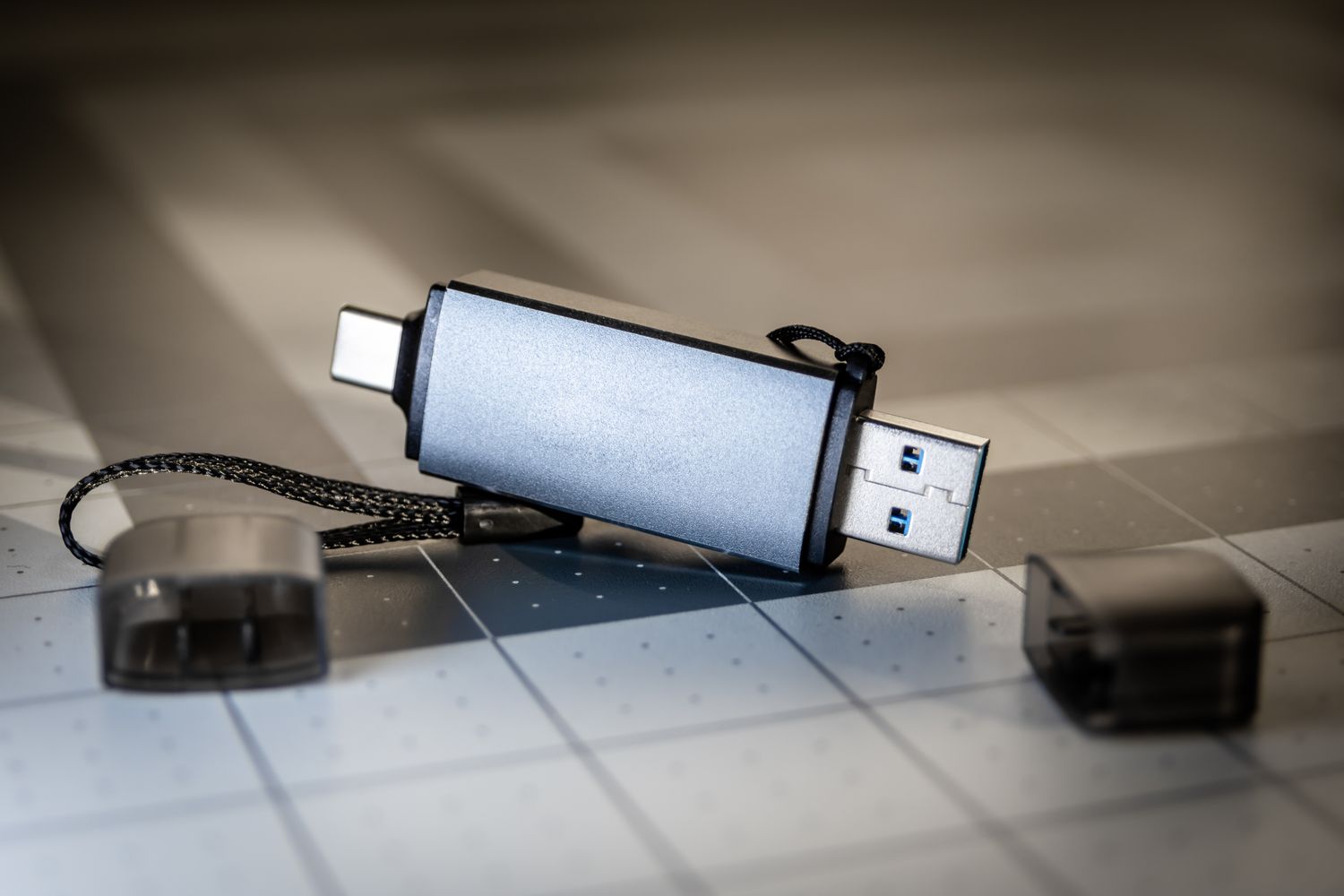
A dual-connector drive can remove the need for an adapter, but inspect how both connectors are protected. Rotating covers and sliding mechanisms should leave room to insert the drive beside neighboring plugs. A very wide body may obstruct another port, while an extremely small body can be difficult to grip and easier to leave behind.
Look at the largest individual file
Total free space does not tell the whole story. SanDisk's guidance explains that FAT32 cannot store an individual file of 4 GB or larger. If a large video refuses to copy despite apparently sufficient space, investigate the file system instead of immediately assuming the drive is full or defective.
A different file system may solve that limit, but the receiving device must support it. Check compatibility before changing anything, and preserve existing files elsewhere because formatting can erase them. Do not format a shared drive merely to solve one transfer without first checking whether someone else's material is still on it.
Compare transfer specifications with the kind of work you expect. A folder of many small files does not necessarily copy at the speed suggested by a large sequential-transfer figure. If the drive is only for occasional documents, an easy-to-handle design and reliable identification may be more valuable than paying for speed you rarely use.
Make the handover understandable
Create a clearly named folder for each handover and include only the intended files. Avoid giving someone a drive containing unrelated personal documents or old drafts. A short text note can identify the current version and explain any unusual file types without making the recipient guess which of several similarly named folders to open.
After copying, open a few representative files from the drive and confirm that their names and versions are correct. Use the operating system's appropriate removal procedure before unplugging. If the transfer matters, ask the recipient to confirm that the files open before deleting your own original copies.
Give the drive a defined role
Label the drive or its storage sleeve so that it can be distinguished from identical household devices. Keep an inventory of what should remain on it, especially when it moves between several people. A removable cap also needs a consistent place during use or it quickly stops protecting anything.
Treat the drive as a transfer tool unless you have deliberately included it in a wider backup arrangement. Losing a small object should not mean losing the only copy of important work. For confidential material, use an agreed protection method that the recipient can actually open rather than assuming an unfamiliar encryption feature will be convenient for both sides.